Designrr eBook Builder Review:
Features, Pros, and Cons
Designrr eBook Builder Review: Features, Pros, and Cons
As digital content continues to dominate the marketing landscape, creating professional eBooks has become a necessity for businesses, content creators, and marketers. Whether you're repurposing blog posts, building lead magnets, or crafting a complete digital book, finding the right tool can make all the difference. Enter Designrr, an eBook builder designed to simplify the process of creating visually stunning eBooks in minutes.
In this detailed review, we’ll explore Designrr’s features, pricing, usability, pros, cons, and target audience, giving you a comprehensive understanding of whether it’s the right tool for your needs.
What Is Designrr?
What Is Designrr?
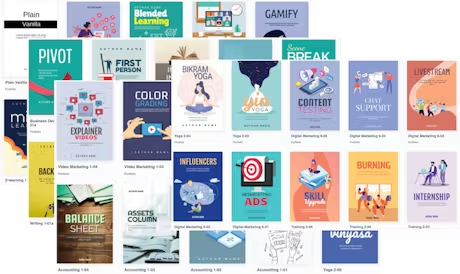
Designrr is an all-in-one eBook creation platform that allows users to create professional eBooks, reports, and lead magnets from existing content like blog posts, Word documents, PDFs, and more. Whether you’re a beginner or a seasoned marketer, Designrr makes the often complex process of eBook creation seamless with its user-friendly interface and pre-designed templates.
Unlike traditional design tools, which require extensive graphic design skills, Designrr automates much of the process, making it accessible to businesses of all sizes.
Key Features of Designrr
Key Features of Designrr
One of Designrr’s biggest selling points is its extensive range of features. Below, we break down the key tools and functionalities that make this tool stand out:
1. Content Importing
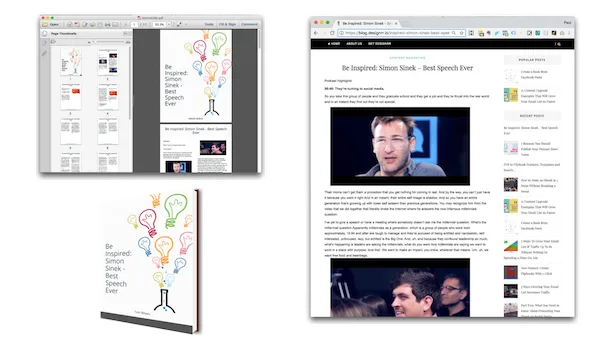
Designrr allows you to easily import content from multiple sources, including:
Blog posts (via URL)
PDFs
Microsoft Word documents
Google Docs
Social media content
This feature is especially useful for repurposing existing content into eBooks, saving hours of manual copy-pasting.
2. Pre-Made Templates
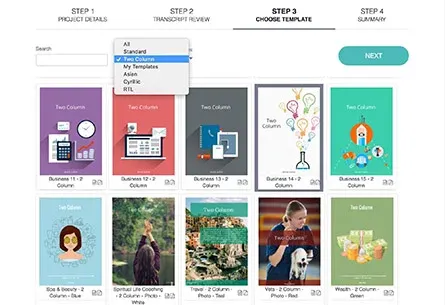
Designrr offers over 200 customizable templates tailored to different niches and purposes. Whether you’re creating a sales brochure, an educational guide, or a lead magnet, there’s a template to suit your needs.
The templates include:
Professional designs
Editable fonts and colors
Drag-and-drop functionality for easy customization
3. Interactive Elements
For those looking to create modern, engaging eBooks, Designrr supports interactive elements like:
Clickable links
Embedded videos
Interactive tables of contents
These features ensure your eBooks aren’t just attractive but also functional and engaging for readers.
4. Custom Branding
Maintaining brand consistency is essential for businesses, and Designrr makes it easy. You can:
Add your logo
Use your brand colors
Customize fonts to match your brand identity
This is a significant advantage for marketers and agencies aiming to publish professional, branded content.
5. AI-Powered Features
Designrr leverages AI tools to automate much of the content design process:
Automatic text formatting
Table of contents generation
Smart layout adjustments
These features reduce manual work and speed up the design process.
6. Export Options
Once your eBook is ready, you can export it in multiple formats, including:
PDF
Kindle (MOBI/EPUB)
Flipbook format
This flexibility allows you to distribute your eBook across various platforms with ease.
Usability: How Easy Is Designrr to Use?
Usability: How Easy Is Designrr to Use?
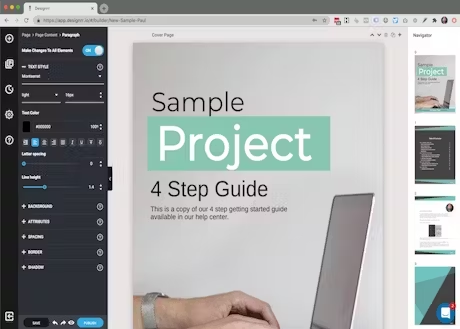
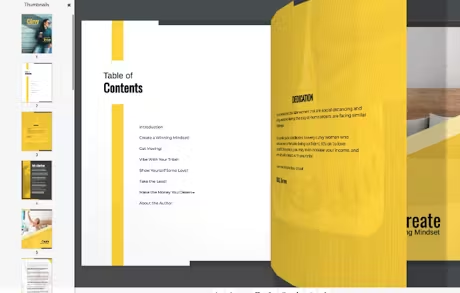
One of Designrr’s standout qualities is its ease of use, making it an excellent choice for beginners and professionals alike. The platform’s drag-and-drop editor and intuitive interface allow users to create stunning eBooks without needing any graphic design experience.
The Creation Process:
1. Import Content: Start by importing your existing content (e.g., blog post or Word document).
2. Choose a Template: Select from over 200 templates to match your needs.
3. Customize: Drag and drop elements, adjust colors, add images, and insert interactive features.
4. Export: Once satisfied, export your eBook in your desired format.
Even for first-time users, the process is straightforward and requires minimal learning.
Who Is Designrr For?
Who Is Designrr For?
Designrr is a versatile tool suitable for a wide range of users. Here’s a breakdown of its ideal audience:
1. Content Creators and Bloggers
If you’re looking to repurpose your blog posts into eBooks or guides, Designrr can save you time and effort.
2. Marketers
Marketers can use Designrr to create lead magnets, sales brochures, and reports that capture audience attention and generate leads.
3. Small Business Owners
Small businesses that lack the budget for professional graphic designers can create professional-looking eBooks independently.
4. Agencies
Designrr is perfect for agencies that need to create branded, high-quality eBooks for multiple clients.
5. Educators
Educators can use Designrr to create training materials, study guides, or online course content with ease.
Pricing Plans
Pricing Plans
Designrr offers four pricing tiers to cater to different budgets and needs:
STANDARD
$29
monthly
1 User
100 Project Templates
922 Google fonts
Wordgenie AI Content creator
Create Unlimited eBooks
Unlimited Use Of Copyright Free Images
Page Numbering & Table Of Contents Generator
Import From the Web, MS Word & Google Docs
PRO
$39
monthly
1 User
300+ Project Templates
200+ Cover Designs
922 Google Fonts
3d Cover Image Tool
Create Unlimited eBooks
Wordgenie PRO AI Content creator
Unlimited Use Of Copyright Free Images
Page Numbering & Table Of Contents Generator
Import From the Web, MS Word, Google Docs & PDF
Export to Kindle, iBooks, ePub
Clone Projects
Flipbook Generator From Any PDF
PREMIUM
$49
monthly
4 Transcription Hours /m
1 User
200+ Project Templates
200+ Cover Designs
922 Google Fonts
3d Cover Image Tool
Wordgenie PRO AI Content creator
AI Image generator
Create Unlimited eBooks
Unlimited Use of Copyright Free Images
Page Numbering & Table Of Contents Generator
Import From the Web, MS Word, Google Docs & PDF
Export to Kindle, iBooks, ePub
Clone Projects & Create Custom Templates
Flipbook Generator From Any PDF
Export to Any Website Using HTML Embed Code
BUSINESS
$99
monthly
8 Transcription Hours /m
1 User
200+ Project Templates
200+ Cover Designs
922 Google Fonts
3d Cover Image Tool
Wordgenie AI PRO Content creator
AI Image generator
Create Unlimited eBooks
Unlimited Use of Copyright Free Images
Page Numbering & Table Of Contents Generator
Import From the Web, MS Word, Google Docs & PDF
Export to Kindle, iBooks, ePub
Clone Projects & Create Custom Templates
Flipbook Generator From Any PDF
Export to Any Website Using HTML Embed Code
Free Trial:
Free Trial:
Designrr offers a 7-day free trial, allowing users to explore its features before committing to a paid plan.
Pros and Cons
Pros and Cons
While Designrr is a powerful tool, it’s not without its limitations. Here’s a balanced look at its strengths and weaknesses:
Pros:
Ease of Use: Drag-and-drop interface makes it beginner-friendly.
Time-Saving: Automates the process of converting content into eBooks.
Customizable Templates: Over 200 templates to suit various industries.
Affordable: Competitive pricing compared to hiring a designer.
Branding Options: Allows for full customization to match brand guidelines.
Interactive Features: Supports videos, clickable links, and interactive elements.
Cons:
Limited Free Features: Free trial is short, and advanced features require higher-tier plans.
Occasional Bugs: Some users have reported minor glitches, such as formatting issues.
Learning Curve for Advanced Features: While basic tools are easy to use, mastering advanced features may require some time.
Final Verdict: Is Designrr Worth It?
Final Verdict: Is Designrr Worth It?
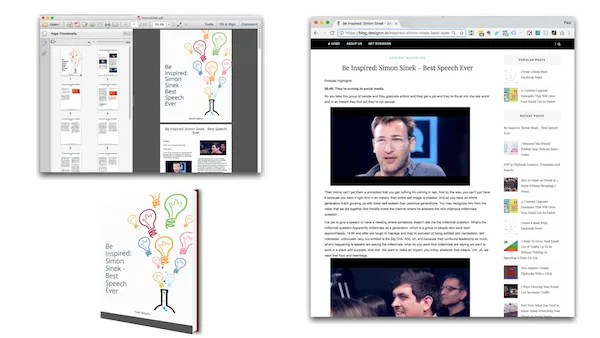
In a world where high-quality digital content is king, Designrr offers an affordable and easy-to-use solution for creating professional eBooks. Whether you’re a marketer looking to create lead magnets, a blogger repurposing content, or a small business owner seeking a cost-effective design tool, Designrr ticks many boxes.
Here’s a quick summary of who should consider Designrr:
Beginners: Thanks to its intuitive interface and pre-made templates.
Marketers: Ideal for creating branded lead magnets and reports.
Budget-Conscious Users: Affordable pricing compared to hiring designers.
However, if you’re looking for advanced customization beyond eBook creation, you may want to explore alternatives like Canva or Adobe InDesign. But for the majority of users, Designrr’s time-saving features, ease of use, and affordability make it a top choice for eBook creation.
Ready to Try Designrr?
Ready to Try Designrr?
Designrr offers aOne-Time Payment, so you can test out its features risk-free. If you’re ready to streamline your eBook creation process and produce professional-quality content, give Designrr a try today.